Private field beta in development

Every inspection.
Every trip.
Every record. Protected.

FireVault keeps account knowledge, verified locations, photos, notes, travel history, and reports connected to the work—so technicians spend less time reconstructing yesterday.

01Manufacturer-neutral 02Offline-first 03Technician-owned workflow
LOCATIONVerified
FIELD RECORDSaved offline
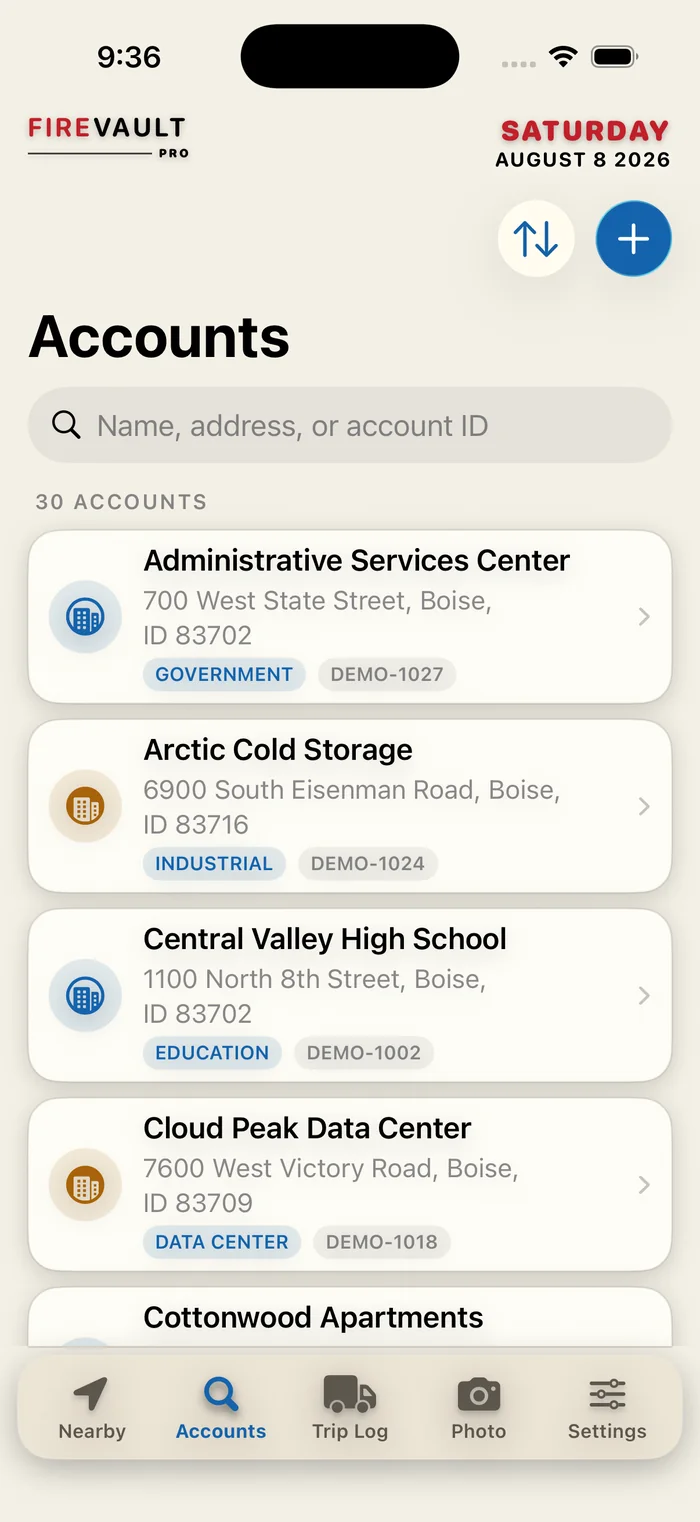
FireVault Nearby Accounts screen showing verified field locations
Actual FireVault interface
Built around technicians
Designed for Apple devices
Works when signal does not
No manufacturer lock-in

Field knowledge should not disappear with the truck keys.

The most useful details are often scattered across memory, camera rolls, paper notes, map pins, and company systems that were never designed for the person standing at the panel.

01

The address gets you close.

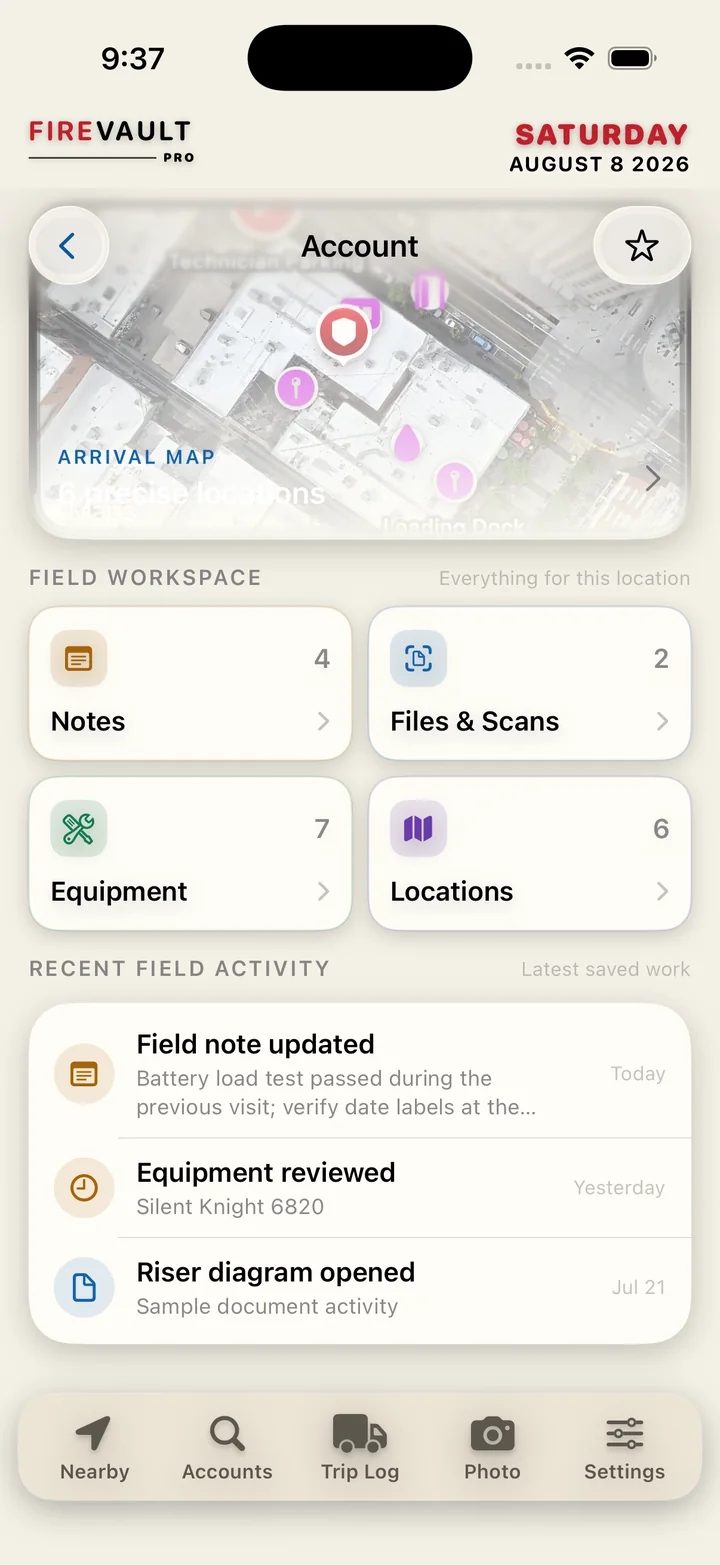
FireVault keeps entrances, panels, riser rooms, parking, and other practical location details attached to the account.

02

The service ticket is not the whole story.

Photos, scans, notes, equipment details, and known conditions remain organized for the next visit.

03

Travel and field evidence need context.

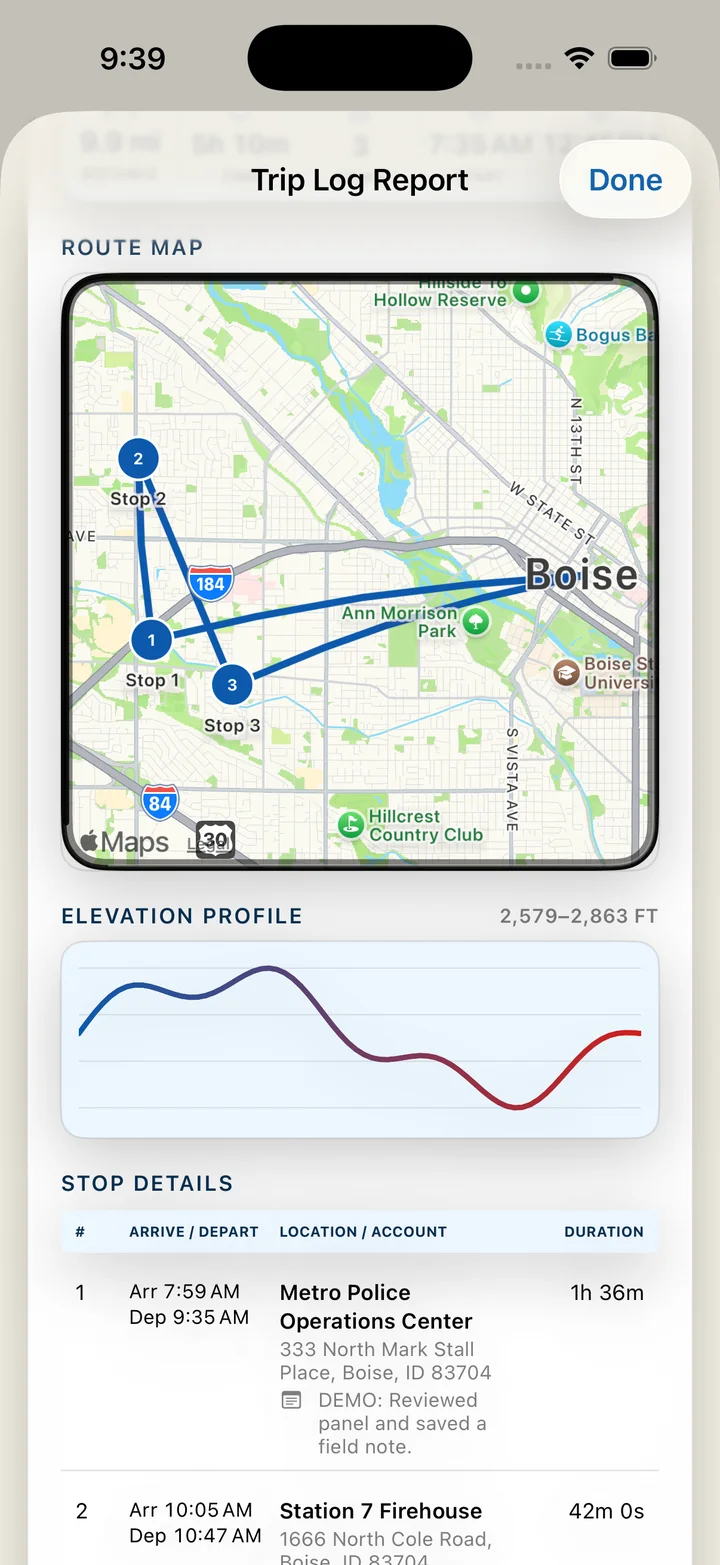
Route history, stops, timestamps, and records become more useful when they stay connected to the work that created them.

From arrival to trusted report.

FireVault is organized around the technician’s day—not around a manufacturer, office department, or disconnected feature list.

STEP 01 · ARRIVE

Know what is nearby before choosing the next stop.

See accounts by distance, open the right location, call the site, or start directions without rebuilding context from scratch.

  • Nearby account awareness
  • Distance and route context
  • Fast call and navigation actions
DAILY ROUTEFriday · 4 stops
1234
DISTANCE42.6 miFIELD TIME7h 18mSTATUSRecorded

A field workspace that feels immediate—not administrative.

Browse real FireVault screens and see how each view reduces the amount of searching, remembering, and re-entering required in the field.

FireVault Nearby Accounts screen
NEARBY ACCOUNTS

The right account, based on where you actually are.

Map context, distance, contact, and navigation actions stay visible without turning the screen into a dispatch console.

One trusted place for the details technicians actually use.

FireVault brings together the field record while keeping each workflow focused and understandable.

LOCATION

Verified places, not just mailing addresses.

Keep map position, practical access details, and the account record working together.

ADDRESS STATUSVerified

1550 River Street
Boise, ID 83702

43.6150° N116.2023° W
01
FIELD EVIDENCE

Photos, scans, notes, and files stay with the account.

+18
02
OFFLINE WORK

Keep moving when the mechanical room has no signal.

Saved on deviceSyncs when connected
03
TRAVEL RECORD

Preserve route, stop, and mileage context.

42.6miles recorded
REPORTS

Turn a completed field day into a record someone else can understand.

Keep account identity, technician notes, evidence, stops, and timestamps connected in one exportable story.

FIELD REPORTFV-2026-0821COMPLETE
4 stops18 photos42.6 mi
FV

The workflow belongs to the technician—not the panel brand.

FireVault is being built to organize mixed-account environments without forcing every note, photo, and process into one manufacturer’s ecosystem.

Mixed manufacturersConsistent account languagePortable field knowledge

Useful field data deserves deliberate protection.

FireVault’s product direction separates public presentation, authenticated access, cloud storage, and protected server-side services.

Read privacy direction
01

Offline-first control

Technicians can continue working when connectivity is unreliable.

02

Protected cloud access

Authentication and row-level data rules remain part of the platform design.

03

Server-side secrets

Private API credentials belong behind protected functions—not inside the public website or app bundle.

04

Clear product status

Connected, offline, pending, and unavailable states should be understandable rather than hidden.

Help shape the field workspace technicians should have had years ago.

Create a FireVault account to receive product updates and future testing information as the beta expands.

Technician-first testingNo manufacturer lock-iniPhone and iPad direction

Practical answers for a practical product.

FireVault is still under active development, so the website distinguishes product direction from completed launch availability.

01Is FireVault tied to one fire alarm manufacturer?

No. FireVault is designed as a manufacturer-neutral field workspace for mixed account and equipment environments.

02Does FireVault replace company service software?

No. The product is intended to complement company systems by preserving technician-facing account knowledge and field evidence.

03Can it work without cellular service?

The product direction is offline-first so important field workflows remain useful in basements, mechanical rooms, and weak-signal locations.

04Is FireVault available in the App Store?

Not yet. FireVault is in active development and private beta preparation. The website will be updated when broader testing or release becomes available.

05What happens to my location information?

Location should be collected only for clear field workflows, with visible status, user control, and a final reviewed privacy policy before public launch.