
Clean the CSV
Remove duplicates, fill missing address fields, standardize city/state/ZIP formatting, and keep one account per row.
DATA QUALITY GUIDE
FireVault Pro works best when account records are standardized before import. Clean data prevents bad locations, duplicate accounts, broken routes, and messy field history.
THE IMPORT ADVANTAGE
This guide can be used as a quick reference before preparing customer, account, and location data for FireVault Pro.
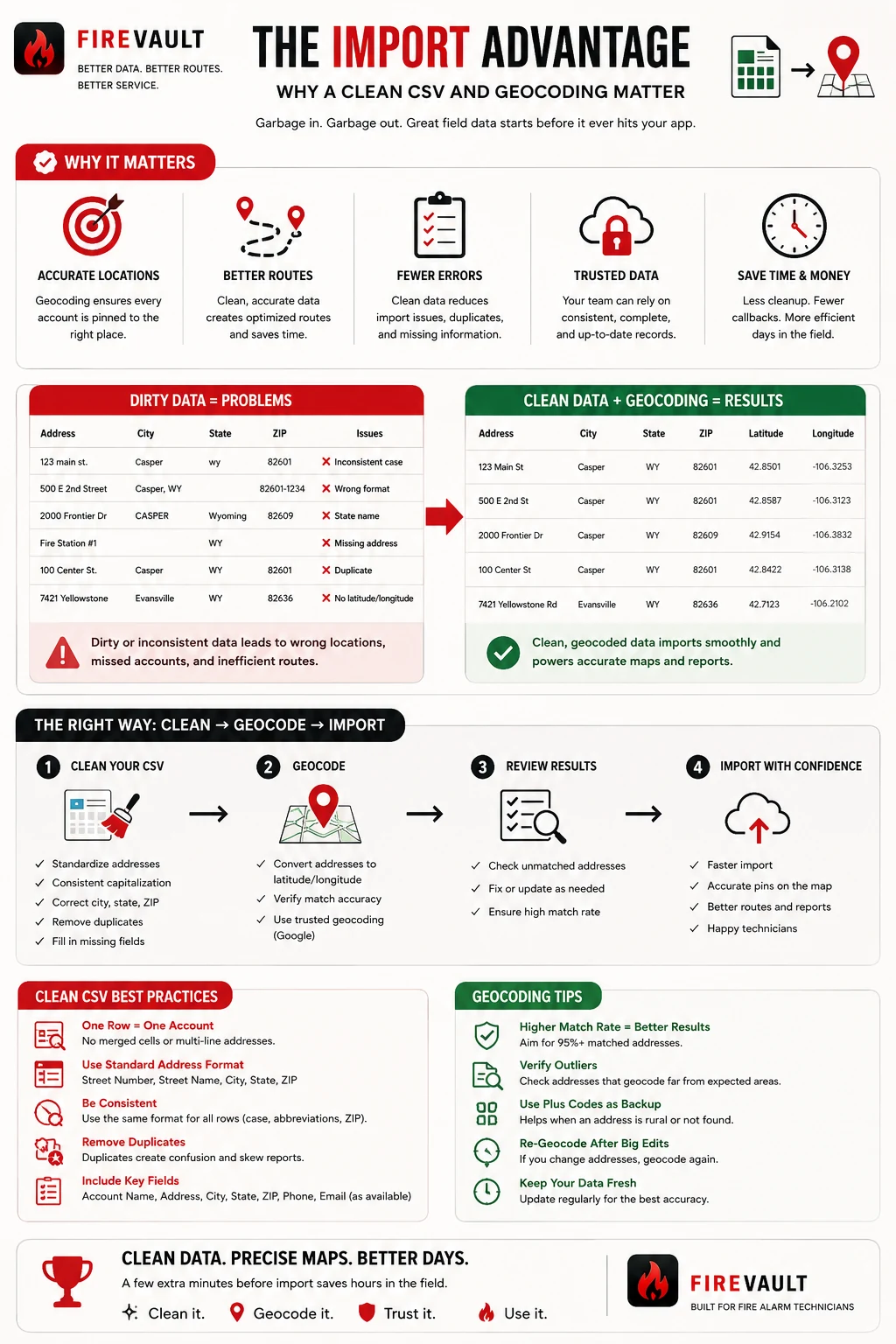
Remove duplicates, fill missing address fields, standardize city/state/ZIP formatting, and keep one account per row.
Create latitude, longitude, formatted address, Plus Code, and row status before import.
Fix unmatched or suspicious addresses before they become bad FireVault records.
Clean, geocoded data creates better maps, better reports, and better technician workflows.